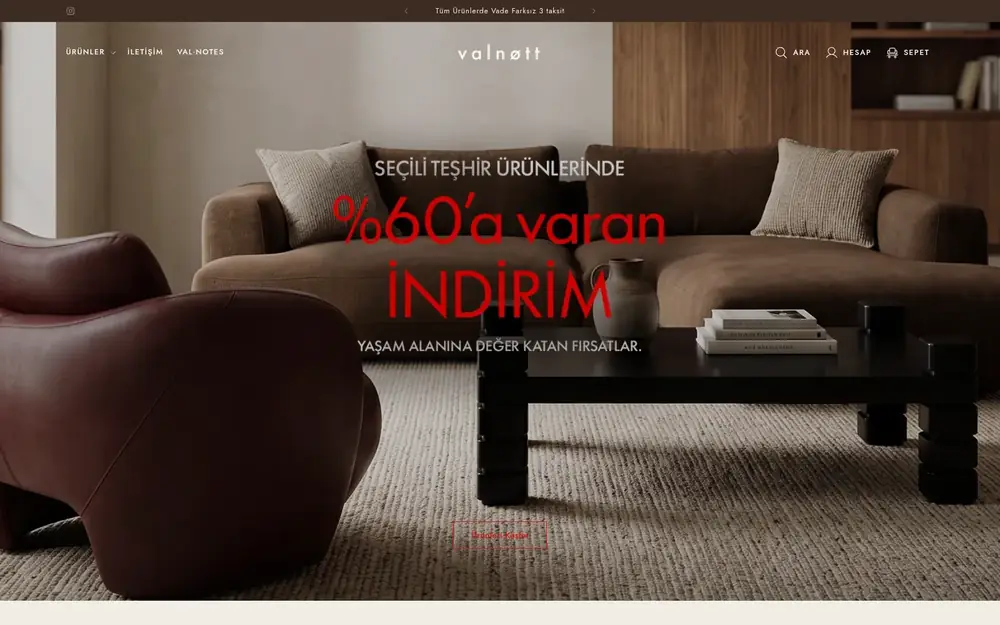
Ready-made OS 2.0 theme
- Time to launch
- Fastest
- Brand differentiation
- Limited
- Custom sections
- Yok
- Theme updates
- From the theme developer
- Speed control
- Depends on the theme
- Best for
- Brands just starting out

Services
Setup and development
Growth and marketing
Support and care
Migrate to Shopify
WooCommerceMagentoWixBigCommerceSquarespacePrestaShopOpenCartWordPressOther platforms
Setup and development
We build fast Online Store 2.0 themes that your team can edit without touching code, from customising a ready-made theme to a theme designed for your brand.
 5.0 client rating
Not every brand needs a custom theme. In the audit we look at your current theme and goals and recommend the right route.
| Kriter | Ready-made OS 2.0 theme | Customised ready-made theme | Custom theme |
|---|---|---|---|
| Time to launch | Fastest | Fast | Length of the project |
| Brand differentiation | Limited | Moderate | Full |
| Custom sections | Yok | Var | Var |
| Theme updates | From the theme developer | Need careful merging | Managed by us |
| Speed control | Depends on the theme | Var | Targeted from the start |
| Best for | Brands just starting out | Growing brands | Brands that want to stand apart |
With Online Store 2.0, every page is made of sections and blocks. Each section we build comes with its own settings in the theme editor, so your team can change campaign pages, product description blocks and the homepage layout on their own.
Each section defines the settings that appear in the theme editor in its own schema. In this example the heading, collection and number of products can be set, and feature highlights can be added as blocks.
{% schema %}{ "name": "Featured collection", "settings": [ { "type": "text", "id": "heading", "label": "Heading" }, { "type": "collection", "id": "collection", "label": "Collection" }, { "type": "range", "id": "count", "label": "Number of products", "min": 2, "max": 12, "step": 1, "default": 4 } ], "blocks": [ { "type": "feature", "name": "Feature", "settings": [{ "type": "text", "id": "text", "label": "Text" }] } ], "presets": [{ "name": "Featured collection" }]}{% endschema %}Before
After
Your live store isn't affected during the project. The work happens on an unpublished copy of the theme.
We review your current theme, apps and page templates.
Theme audit report
Homepage, collection, product and cart designs are prepared.
Approved designs
Sections, blocks and templates are coded.
Preview theme
Device, browser, speed and accessibility testing.
Test report
The theme goes live and your team is trained on the editor.
Training and documentation
The quality criteria working behind the design.
Limits for images, fonts and code size set at the start.
A proper heading hierarchy, structured data and clean URLs.
Keyboard navigation, contrast and alt text.
Translations and pricing that work with Shopify Markets.
Apps added without editing theme code.
A user guide explaining what each section does.

Client · Lighting and decor
“Architectural decor and lighting” — Lumiana is growing its store on Shopify with Shopiuzman.
Can't find the answer you're looking for? Get in touch directly.
Yes. We customise a copy of your current theme, so your live store isn't affected.
The code of a custom theme belongs to you. Updates can be handled by us under a maintenance plan, or by a developer of your choice.
We build customisations as theme editor settings and separate sections, so updates can be merged in a controlled way.
Your URLs stay the same, and the heading structure and structured data are kept or improved. We run an SEO check before launch.
It depends on the scope. After the audit we give you a step-by-step schedule.
We'll listen to your needs and agree on scope, timeline and technical approach.
Shopiuzman
Shopify experts · Usually replies quicklyHi there,
How can we help with your Shopify store? Pick a topic or type your message.
Peanut would like your permission before eating the cookies.
We use cookies to improve the site and measure our ads. Ours are digital; Peanut's are real. Details in our cookie policy.